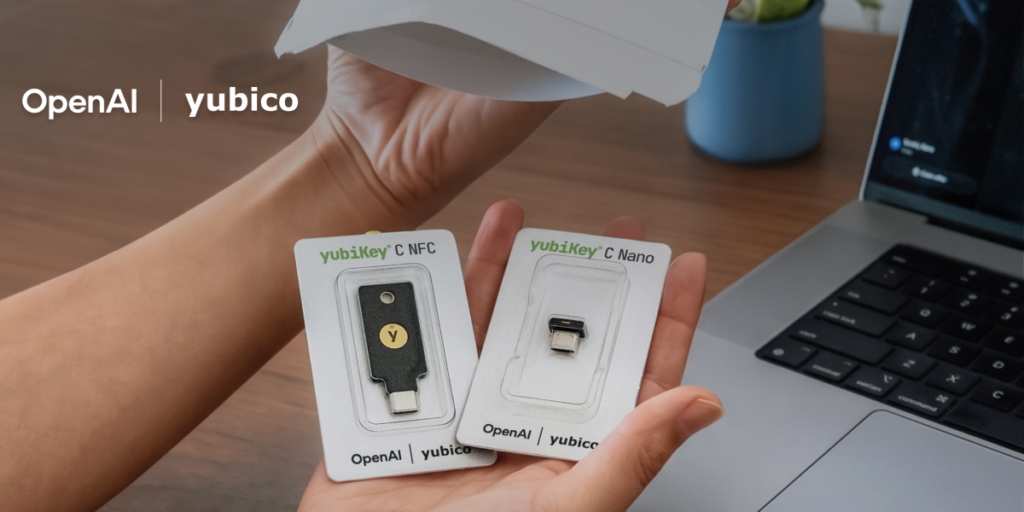

OpenAI announced today that ChatGPT users can now opt into stronger account security, including support for hardware security keys from Yubico. This is a partnership that should have happened years ago, but better late than never.
The new protections are entirely opt-in, which is both good and bad. Good because it doesn’t force anyone into a workflow they don’t want. Bad because most users won’t bother enabling it, leaving the majority of accounts still protected by nothing more than a password and maybe SMS if they’ve bothered to turn that on.
Here’s what actually changed: you can now register a FIDO2-compliant security key (YubiKey or any other WebAuthn-compatible device) as a second factor for your ChatGPT login. OpenAI is also adding TOTP-based authenticator app support, which was previously missing. Yes, you read that right — until today, ChatGPT didn’t support standard authenticator apps. SMS codes were the only 2FA option, which is frankly embarrassing for a company handling sensitive conversations and API keys.
The Yubico partnership means OpenAI will be selling discounted YubiKeys directly through some channel, though pricing details weren’t disclosed. I’m guessing they’ll offer the same $20-55 range you’d find on Amazon, maybe with a small discount for Pro users.
One thing I appreciate: they’re not locking this behind the $20/month ChatGPT Plus subscription. Free tier users get the same security options, which is the right call. Security shouldn’t be a premium feature.
But let’s talk about what’s still missing. There’s no mention of passkey support (WebAuthn without the physical key), which would let you use your phone or laptop’s built-in biometric authentication. That’s a more convenient option for most people. Also, there’s no word on hardware key support for the API or enterprise accounts, which is where the real risk lives. If you’re running an AI-powered customer service bot with a $10,000 monthly API bill, you want hardware auth on every API call, not just the web login.
The timing is interesting. OpenAI has been under increasing scrutiny over data leaks and account takeovers, especially after the ChatGPT data breach last year that exposed conversation histories. This feels like a response to that pressure, but it’s a step in the right direction.
I’ve been using a YubiKey for my personal accounts for years, and the setup process for ChatGPT was straightforward: go to Settings > Security > Two-Factor Authentication, choose Security Key, plug in the key, tap it, done. No weird browser compatibility issues, no QR code scanning. It just worked.
If you’re a ChatGPT user who handles sensitive data or has API keys worth protecting, enable this. It takes two minutes and saves you from the nightmare of someone stealing your session token and running up a $5,000 API bill on your account. Don’t be that person.
Comments (0)
Login Log in to comment.
Be the first to comment!