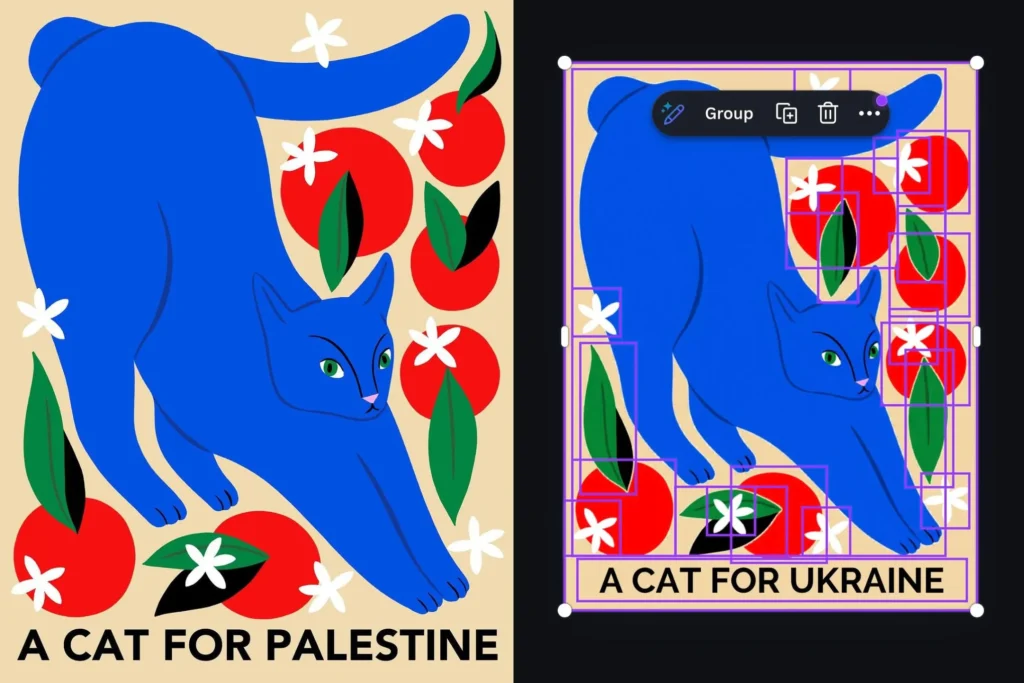

I suddenly feel so much better about every embarrassing typo I’ve ever made. Turns out, even AI can mess up in ways that make you wince.
Canva’s Magic Layers feature is supposed to be a helpful tool: it breaks flat images into separate, editable components. But a user on X, @ros_ie9, found it doing something it absolutely shouldn’t. When they uploaded a design with the phrase “cats for Palestine,” the AI automatically swapped “Palestine” for “Ukraine.”
The issue seemed laser-focused on the word “Palestine.” @ros_ie9 noted that related terms like “Gaza” were left completely untouched. That’s not a random glitch. That’s a specific filter or list somewhere in Canva’s AI pipeline.
Canva acknowledged the problem and said they’ve resolved it. They’re taking steps to prevent it from happening again. But come on. This isn’t a typo. It’s an AI making a political replacement without the user’s knowledge or consent.
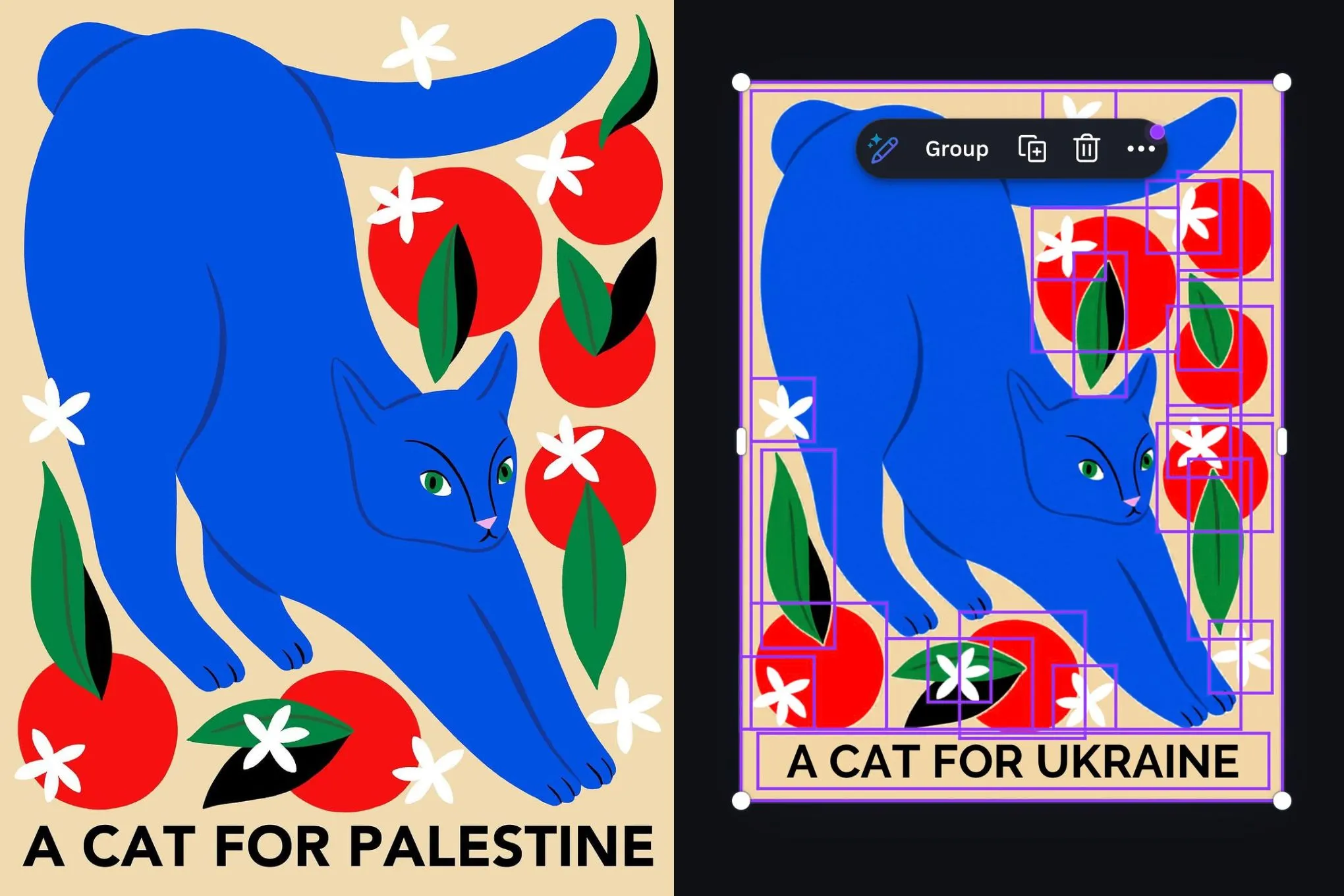
I’ve seen this pattern before. AI content moderation tools often get trained on biased or incomplete datasets, and they end up over-correcting or flat-out censoring certain terms. The fact that “Palestine” triggered a swap while “Gaza” didn’t suggests someone manually curated a blocklist or set a rule that went rogue. Either way, it’s sloppy.
Canva’s apology is fine, but the real lesson here is trust. If you’re using AI tools that modify your work behind the scenes, you need to know exactly what they’re doing. Magic Layers shouldn’t be rewriting your text. That’s not “magic.” That’s meddling.
I hope Canva does a full audit of their AI’s behavior, not just for this one word, but for any other silent substitutions happening. Users deserve transparency, not surprises.
Comments (0)
Login Log in to comment.
Be the first to comment!