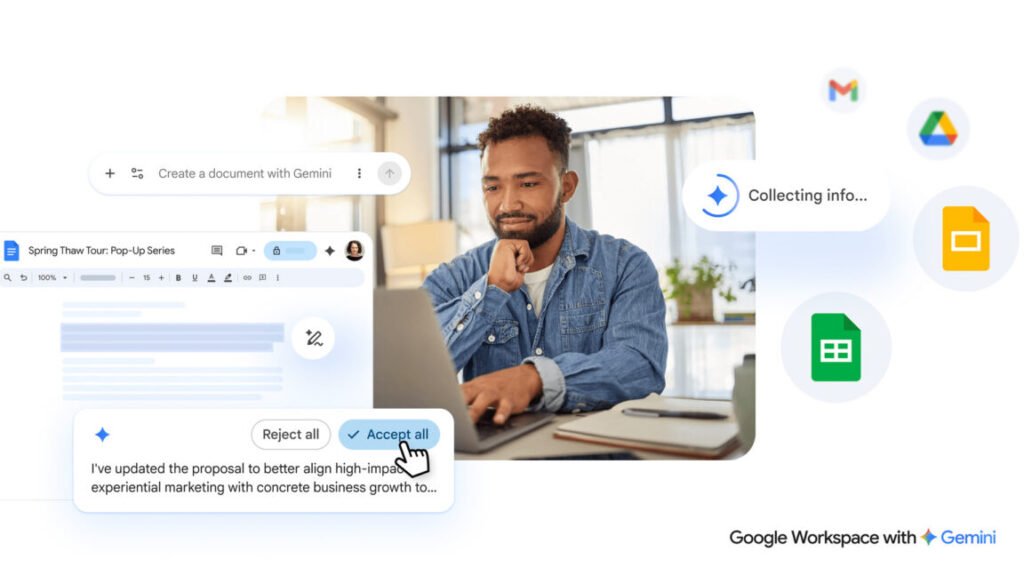

Google hasn’t exactly been shy about shoving Gemini into every corner of Workspace, but the latest update feels like a proper rethink rather than just another AI button bolted onto the toolbar.
If you open a new Google Doc right now, you’ll see a row of AI-powered options at the top. That’s getting replaced with something more familiar: a chatbot-style text box sitting at the bottom of a blank document. You type what you want—a project proposal, a meeting summary, a passive-aggressive email to your landlord—and Gemini spits out a first draft. It can also pull in content from Gmail, other Docs, Google Chat, and the web, which is either a massive time saver or a privacy nightmare depending on how you look at it.
The editing side is getting smarter too. You can highlight a section and ask for changes, or use prompts to reformat the whole thing. There’s also AI-assisted style matching, which Google pitches as a way to keep multiple editors on the same page. I can see that being genuinely useful for teams where everyone writes like a different person. But I also wonder how much of that “style” will just be Gemini’s default bland corporate tone unless you explicitly train it otherwise.
Sheets and Slides aren’t left out. Gemini can now stylize slides based on context and pull data from across your Google account to populate spreadsheets. The idea is to kill the blank page problem—that moment when you stare at a white screen and your brain goes static. Google’s solution is to have the AI do the staring for you.
All of this raises a question that nobody in Mountain View seems eager to answer: at what point does “helping you write” turn into “writing for you”? The company is careful to note that Gemini suggestions remain private until you approve them, which is good. But the whole pitch is about reducing friction to the point where you barely have to think. That’s a feature for some people and a crutch for others.
Personally, I’m torn. I’ve used AI drafting tools before and they save me time on boilerplate but they also make me lazier about structure. The style matching feature is the most interesting addition here because it addresses a real pain point in collaborative writing. The rest feels like Google trying to own the “just generate it” workflow before Microsoft does the same with Copilot.
Either way, the blank page isn’t going to be blank for much longer. Whether that’s a good thing depends on how much you trust an AI to know what you actually want to say.
Comments (0)
Login Log in to comment.
Be the first to comment!