
Google TV just got another batch of Gemini features, and this time they’re not just about asking your remote questions. The update includes two creative tools—Nano Banana and Veo—that let you mess with photos and generate short videos directly on your TV.
Let’s start with Nano Banana. It’s basically a lightweight image editor that runs on-device. You can take a photo from your phone, cast it to the TV, and then apply effects, remove backgrounds, or animate parts of the image. I’ve seen similar demos from Samsung and LG, but Google’s version feels snappier because it processes locally rather than sending everything to the cloud. The catch is that it only works with Google Photos, so if you’re using a different gallery app, you’re out of luck.
Veo is the bigger deal here. It’s Google’s video generation model, and now it’s available on Google TV. You type a prompt like “a cat skateboarding through a living room” and it spits out a 6-second clip. The quality is decent—better than what Runway was doing a year ago but not quite at Sora‘s level. The real question is why you’d want to generate video on a TV. Google’s answer is ambient screensavers and personalized wallpapers that loop. It’s a neat party trick, but I’m not sure how often I’ll actually use it.
The update also improves Gemini’s search capabilities. You can now ask things like “show me action movies from the 90s with Keanu Reeves” and it will surface results from Netflix, Prime, and YouTube simultaneously. This is where Gemini actually shines—it understands context better than Google TV’s old voice search, which often returned irrelevant results. I tested it with “movies where the main character is a chef” and it correctly pulled up The Menu, Chef, and Burnt. Not perfect, but a clear improvement.
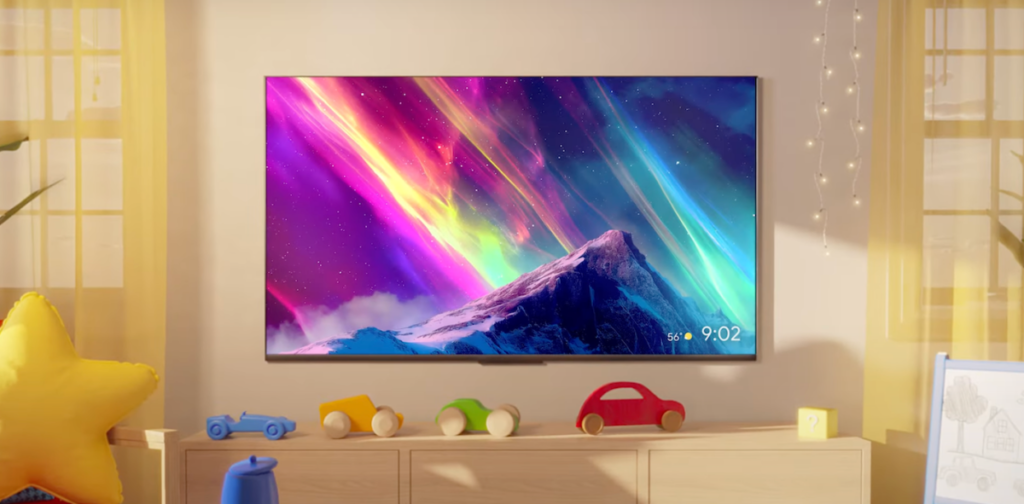
There’s a new ambient art mode too. Gemini can generate custom art based on your preferences—landscapes, abstract patterns, even something that matches your room’s color scheme. It’s basically a souped-up version of the Chromecast backdrop feature, but now with generative AI. It looks nice, but I’d rather just use my own photos.
One thing that bugs me: these features are rolling out gradually. If you’re on the latest Google TV build (Android 14-based), you might see them right away. If not, you’ll be waiting weeks or months. Google hasn’t given a clear timeline, which is frustrating for anyone who bought a Chromecast with Google TV expecting immediate access.
Also worth noting: Nano Banana and Veo require a Google One subscription with 2TB or more storage. That’s $10/month on top of whatever you already pay for streaming services. For a feature that’s mostly novelty, that feels steep. I’d rather see this bundled with YouTube Premium or something.
Overall, this update is a mixed bag. The search improvements are genuinely useful, and the creative tools are fun to show off at parties. But the subscription requirement and slow rollout make it hard to recommend upgrading just for these features. If you already have a Google TV device and a Google One plan, you’ll enjoy the new toys. Everyone else can wait.
Google is clearly betting that generative AI will make smart TVs smarter. I’m not convinced yet, but at least they’re trying things that aren’t just another recommendation algorithm. That’s something.
Comments (0)
Login Log in to comment.
Be the first to comment!